- Prime Savings: SAVE Extra 10% on Office Products: Use
- Code SAVE10
Hours
Minutes
Seconds


In Stock
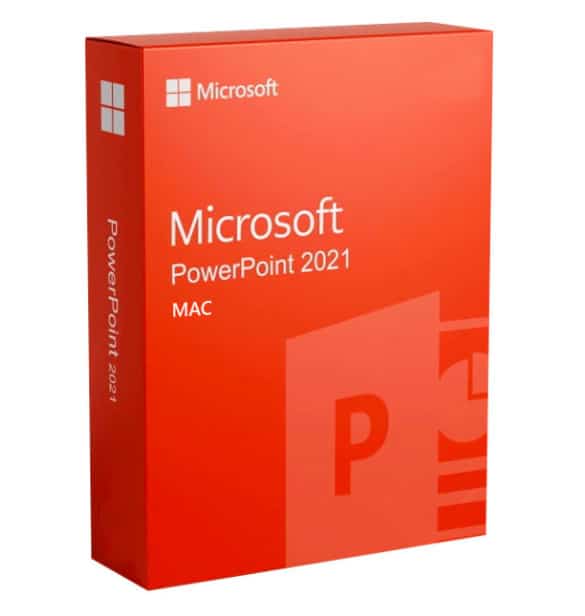
Buy Microsoft PowerPoint 2021 for Mac – Product Key now for a special price. Get your 100% genuine license at Topkeystore.com and fully manage your contacts. Enjoy secure payments, using the best available methods, and receive your product instantly…[click for more info]


$188.09 Original price was: $188.09.$134.35Current price is: $134.35.
$188.09 Original price was: $188.09.$134.35Current price is: $134.35.
An electronic code will be emailed to you 3-5 hours after checkout.
PowerPoint 2021 for Mac is an effective application for creating and modifying presentations with dynamic and multimedia features. With multi-author access and collaboration tools, you can work with your team to create dynamic and engaging slides, exchanging comments, revisions, and recommendations in real time.
OneDrive and Microsoft Teams integration allows you to coordinate with coworkers and partners to create intricate presentations. Your audience will be impressed by your ability to include high-resolution multimedia material and animated transitions that add energy to each slide! Get your brand-new presentation editor, which you can use right away after making your purchase, for less money by purchasing Microsoft PowerPoint 2021 for Mac from Topkeystore.com now!
Microsoft’s PowerPoint 2021 for Mac provides the finest answer for all of your presenting requirements. This extended and enhanced version provides a number of novel advantages and features that notably distinguish it from its predecessors:
Improved design and user experience: PowerPoint 2021’s for Mac interface is contemporary and straightforward, making the features simple to find and use. Even if you are a novice, you will be able to make engaging presentations with ease.
Advanced integration with Artificial Intelligence: PowerPoint 2021 for Mac uses AI to automate deck creation, give text recommendations, and more. This makes PowerPoint 2021 a very effective and adaptable tool.
Real-time collaboration: PowerPoint 2021 for Mac enables you to work in teams from anywhere in the globe on the same presentation, exchanging ideas and modifications quickly.
You’ll find cutting-edge tools to make your presentations stand out as you study PowerPoint 2021’s for Mac core features. This software is a creative workshop where your thoughts come to life. You may use these primary features:
PowerPoint Designer: This tool proposes slide designs depending on your content. Choose from various alternatives and customise the design.
3D Cinematography: PowerPoint 2021 for Mac lets you add stunning 3D models and animations to your slides.
Zoom: This function enables you to flexibly transition from one portion of your presentation to another, resulting in a seamless and compelling narrative impact.
PowerPoint 2021 for Mac therefore appears to be an excellent choice for business workers that want sophisticated software to produce outstanding presentations at meetings, webinars, and conferences. Built-in AI and collaborative tools make it easier to create powerful presentations. Educators and students will enjoy the easy design, which makes PowerPoint 2021 for Mac a fantastic educational tool. Teachers may design interactive classes, and students can utilise it for group projects or personal presentations.
Finally, designers and creative professionals will benefit from new automatic design elements and a large variety of customisable choices that allow them to express their creative ideas in innovative and engaging ways. Discover the power of PowerPoint 2021 for Mac and elevate your presentations to the next level.
Purchasing and downloading PowerPoint 2021 for Mac from Topkeystore.com is a quick and uncomplicated approach that will let you to access your new program without wasting time. You will get a summary email after you have completed payment via traceable and secure options such as PayPal, Stripe, Google, Amazon, Apple Pay, or credit/debit cards.
This email includes everything you need to download and activate PowerPoint 2021 for Mac, so you can start using it right now. Topkeystore.com has made acquiring software simpler and safer than ever before!
Topkeystore.com makes the process of installing Microsoft PowerPoint 2021 as simple as it possibly can be. After you have finished making your purchase, you will immediately get an email with thorough instructions that will walk you through each stage of the process. The procedure of installing the program will be simplified and simplified to a simple experience thanks to these, which will help you through the process.
You will receive the official PowerPoint 2021 for Mac download link, a product key that is guaranteed to be 100% authentic, and the invoice for the purchase in the email. In addition to the instructions, you will also get any other relevant information. You will be able to begin utilising PowerPoint 2021 in the smallest amount of time feasible because to the mix of resources being provided, which guarantees a simple installation of the program.
However, it does not stop there. Topkeystore.com Shop offers a complete money-back warranty on all purchases. You will also get access to our free help, which is accessible at all times. Our team of professionals is here to address any questions or issues you may have in English. You’re never alone at Topkeystore.com, and we’re here to help you get the most out of your new PowerPoint 2021 for Mac.
Topkeystore.com digital delivery mechanism simplifies PowerPoint 2021 for Mac activation. Once you’ve finished downloading and installing the program, you’ll need a Microsoft account. If you don’t already have one, making one is simple.
In the order confirmation email you receive after your purchase, you will find your perpetual license for PowerPoint 2021 for Mac. This license grants you unlimited access to the software, eliminating the need for renewal payments. Activating the product involves a few straightforward steps, and you’ll receive clear instructions to guide you through the activation process.
Additionally, Topkeystore.com guarantees quality. You’ll never get expired licenses from us. We only sell genuine, high-quality items to ensure your contentment. Stop waiting! Discover how PowerPoint 2021 for Mac can improve your presentation design now.
As a recognised leader in the digital marketplace for over 10 years, we have established a strong reputation for delivering high-quality products with exceptional speed and reliability, at Topkeystore.com. We prioritise your security with SSL encryption and offer a range of trusted payment options, including PayPal, Stripe, Amazon Pay, Apple Pay, Google Pay, and major credit/debit cards, at Topkeystore.com.
Every purchase is accompanied by a 100% genuine licence, backed by a money-back guarantee, at Topkeystore.com. Our dedicated free technical support, available in English, ensures prompt assistance with any queries or issues. With excellent Trustpilot reviews and Trusted Shops accreditation, we provide a secure shopping experience, with coverage for purchases up to £1,500, at Topkeystore.com.
Take advantage of savings of up to 60% on top products such as Windows 10, Windows 11 Pro, Office 2021, Autodesk Revit, AutoCAD, NordVPN, and EaseUS Todo Backup—all guaranteed to be genuine, at Topkeystore.com. Trust us for unbeatable value, security, and expert support for all your digital needs.
If you’re a reseller, just email us at reseller@topkeystore.com, and we’ll send you a personalised price list tailored to your needs. Let’s work together to build a successful partnership!
Windows Operating Systems: Windows 11 – Windows 10 – Windows 8 – Windows 7
Antivirus: Kaspersky – McAfee – Avast – Norton – ESET– Malwarebytes
VPN: Avast VPN – VPN for PC – VPN for Mac – VPN for Mobile – HMA VPN
Microsoft Server: Windows Server – Windows Server RDS CAL – Microsoft SQL Server – Windows Server CAL
Engineering Programs Autodesk – Autodesk Revit
Backup and Recovery Software: EaseUS – AOMEI
| Operating system: | latest three versions of macOS |
| CPU: | Intel or Apple Silicon |
| GPU: | DirectX 9 with WDDM 2.0. |
| Memory: | 4GB RAM |
| Storage: | 10GB of available space |
| Display: | minimum resolution of 1280 x 800 |
| Browser: | updated versions of Safari, Chrome or Firefox |
PowerPoint 2021 for Mac introduces several exciting features designed to enhance your presentation experience. These include improved collaboration tools for real-time editing, enhanced multimedia support for better integration of videos and images, and new presentation capabilities that allow for custom slide layouts and updated templates. Additionally, users can benefit from dynamic arrays and various functions that improve data visualization. For a comprehensive list of features, visit the official Microsoft page here.
PowerPoint 2021 for Mac is available as a one-time purchase, meaning you pay a single fee for lifetime access to the software. This differs from the subscription model of Microsoft 365, which requires ongoing monthly or yearly payments. While you will receive updates, major new features typically come only in future versions. More information can be found on the Microsoft Store.
PowerPoint 2021 for Mac is licensed for installation on a single device only. If you wish to use it on multiple devices, you will need to purchase separate licenses for each one. In contrast, a Microsoft 365 subscription allows you to install Office apps, including PowerPoint, on multiple devices. For details, visit the Microsoft Office support page.
To activate PowerPoint 2021 for Mac, you need to enter your product key, which is included in the order confirmation email sent after your purchase from Topkeystore.com. Open PowerPoint, go to Help > Activate Product and enter your key. Follow the on-screen instructions to complete the activation. Detailed instructions can be found on the Microsoft activation page.
If you face installation issues with PowerPoint 2021 for Mac, ensure your Mac meets the minimum system requirements. Check your internet connection and any antivirus software that may be interfering. If problems persist, consider using the Microsoft Support and Recovery Assistant tool to help diagnose and resolve installation issues. More troubleshooting tips are available on the Microsoft support website.
Feel free to ask if you have more questions!