- Prime Savings: SAVE Extra 10% on Office Products: Use
- Code SAVE10
Hours
Minutes
Seconds


In Stock
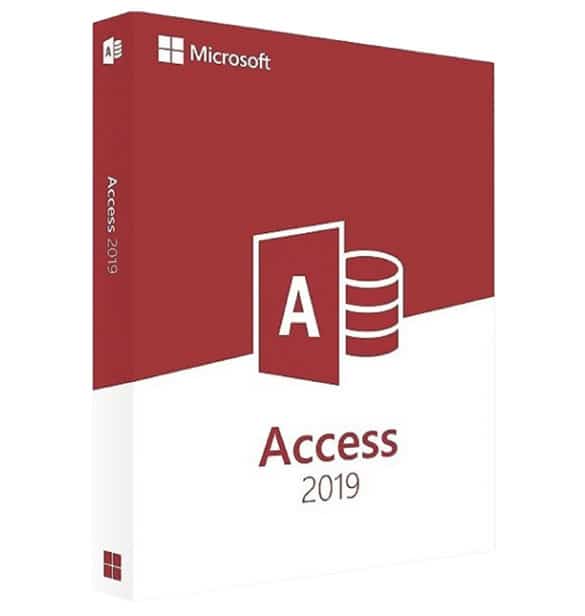
Buy Microsoft Access 2019 – Product Key now for a special price. Get your 100% genuine license at TopKeys.uk and fully manage your contacts. Enjoy secure payments, using the best available methods, and receive your product instantly…[click for more info]


$107.30 Original price was: $107.30.$67.06Current price is: $67.06.
$107.30 Original price was: $107.30.$67.06Current price is: $67.06.
An electronic code will be emailed to you 3-5 hours after checkout.
Access 2019 is the most recent version of the popular Microsoft application for building, maintaining, and modifying relational databases. The version on this page is often bundled with Office 2019, but it is also available individually, making it appropriate for individuals who simply want Access and not the complete Microsoft productivity suite. Compared to previous versions, Access 2019 has several fascinating new features, such as the ability to add tables with fewer clicks owing to the Add Tables task pane, which is always visible when working on your relational database. This tool allows you to simply add tables to relationships and queries.
The interface has also been changed and extended, making it simpler to keep track of all database elements. Furthermore, you may interact with all items, including active and inactive tabs, with a single click. Microsoft has worked hard to enhance the accuracy of data, such as those related to extended date/time, with further improvements to SQL visualisation and query architecture.
There are also more advantages of using Microsoft Access 2019, including dark theme support for less tiring depiction of high-contrast object views. Buy Microsoft Access 2019 from Topkeys.uk today and save money, so you can start working on your relational databases right now!
Microsoft Access 2019 may be readily downloaded via Topkeys.uk’s digital delivery service. The procedure is straightforward: add the goods to your shopping basket, complete your purchase by choosing one of our store’s secure payment options (PayPal, Stripe, Amazon/Google/Apple Pay, credit/debit cards), and then proceed to your mailbox.
We always give you a summary email in real time that includes your 100% genuine and guaranteed activation key, clear and detailed instructions, official download links, and your purchase invoice. To top it all off, your purchase is protected by our complete money-back guarantee, and our free English-speaking Technical Support is available before you make your order for personalised advise on the program most suited to your requirements. Topkeys.uk is your one-stop store for anything digital.
As a recognised leader in the digital marketplace for over 10 years, we have established a strong reputation for delivering high-quality products with exceptional speed and reliability, at Topkeys.uk. We prioritise your security with SSL encryption and offer a range of trusted payment options, including PayPal, Stripe, Amazon Pay, Apple Pay, Google Pay, and major credit/debit cards, at Topkeys.uk.
Every purchase is accompanied by a 100% genuine licence, backed by a money-back guarantee, at Topkeys.uk. Our dedicated free technical support, available in English, ensures prompt assistance with any queries or issues. With excellent Trustpilot reviews and Trusted Shops accreditation, we provide a secure shopping experience, with coverage for purchases up to £1,500, at Topkeys.uk.
Take advantage of savings of up to 60% on top products such as Windows 10, Windows 11 Pro, Office 2021, Autodesk Revit, AutoCAD, NordVPN, and EaseUS Todo Backup—all guaranteed to be genuine, at Topkeys.uk. Trust us for unbeatable value, security, and expert support for all your digital needs.
If you’re a reseller, just email us at reseller@topkeystore.com, and we’ll send you a personalised price list tailored to your needs. Let’s work together to build a successful partnership!
Windows Operating Systems: Windows 11 – Windows 10 – Windows 8 – Windows 7
Antivirus: Kaspersky – McAfee – Avast – Norton – ESET– Malwarebytes
VPN: Avast VPN – VPN for PC – VPN for Mac – VPN for Mobile – HMA VPN
Microsoft Server: Windows Server – Windows Server RDS CAL – Microsoft SQL Server – Windows Server CAL
Engineering Programs Autodesk – Autodesk Revit
Backup and Recovery Software: EaseUS – AOMEI
| Operating system: | Windows 10 SAC, Windows 10 LTSC 2019, Windows Server 2019 or later versions. Access 2019 is not supported on Windows 7 or earlier versions. |
| Processor: | 64-bit processor with at least 1.6GHz speed. |
| Memory: | 4GB RAM or more recommended for optimal user experience. |
| Hard Disk space: | at least 4GB of available hard disk space. |
| Screen resolution: | at least 1024 x 768 pixels screen resolution. |
| Video card: | DirectX 9 or later version with WDDM 2.0 driver. |
| Internet connection: | an Internet connection is required for some features. |
PowerPoint 2016 introduces several exciting features designed to enhance your presentation experience. These include improved collaboration tools for real-time editing, enhanced multimedia support for better integration of videos and images, and new presentation capabilities that allow for custom slide layouts and updated templates. Additionally, users can benefit from dynamic arrays and various functions that improve data visualization. For a comprehensive list of features, visit the official Microsoft page here.
PowerPoint 2016 is available as a one-time purchase, meaning you pay a single fee for lifetime access to the software. This differs from the subscription model of Microsoft 365, which requires ongoing monthly or yearly payments. While you will receive updates, major new features typically come only in future versions. More information can be found on the Microsoft Store.
PowerPoint 2016 is licensed for installation on a single device only. If you wish to use it on multiple devices, you will need to purchase separate licenses for each one. In contrast, a Microsoft 365 subscription allows you to install Office apps, including PowerPoint, on multiple devices. For details, visit the Microsoft Office support page.
To activate PowerPoint 2016 , you need to enter your product key, which is included in the order confirmation email sent after your purchase from Topkeys.uk. Open PowerPoint, go to Help > Activate Product and enter your key. Follow the on-screen instructions to complete the activation. Detailed instructions can be found on the Microsoft activation page.
If you face installation issues with PowerPoint 2016 , ensure your Mac meets the minimum system requirements. Check your internet connection and any antivirus software that may be interfering. If problems persist, consider using the Microsoft Support and Recovery Assistant tool to help diagnose and resolve installation issues. More troubleshooting tips are available on the Microsoft support website.
Feel free to ask if you have more questions!